Does Living Near an Airport Affect Broadband? What the Data Shows
Living near an airport rarely affects broadband: it depends on cabinets, exchanges and line type. How to check and test (England & Wales).
Rarely. Fixed broadband availability and speed depend on the cables, cabinets and exchanges serving the street and the connection type, not on the flight path above. Aviation radar sits in regulated bands separate from home Wi-Fi, so routine interference is unusual; a wired speed test and the Ofcom checker show what a specific address actually gets.
In this post
- Table of Contents
- Why Airport Proximity Is Rarely the Cause of Broadband Problems
- How Broadband Availability Is Actually Determined
- Full-Fibre Broadband Availability Near Airports
- Airport Radar, Aircraft and Wi-Fi Interference: What the Evidence Shows
- Broadband Speed and Reliability: Other Causes to Rule Out
- A Step-by-Step Process for Suspected Airport Interference
- Checking Your Area Before You Make an Offer
- Frequently Asked Questions
Quick Summary
Living near an airport rarely affects broadband, because availability is set by the cables, exchanges and cabinets serving your street rather than by the flight path above. Any airport broadband problem is far more likely to come from distance to the cabinet, the connection type or your own Wi-Fi setup.
- Speeds usually fall the further your home is from the local street cabinet.
- Check the exact postcode using the Ofcom or provider broadband checker.
- Compare the listed speeds for your specific property, not the area average.
- Run a wired speed test to separate line problems from Wi-Fi problems.
- Keep a dated record of tests, since availability and speeds change over time.
Table of Contents
- Why Airport Proximity Is Rarely the Cause of Broadband Problems
- How Broadband Availability Is Actually Determined
- Full-Fibre Broadband Availability Near Airports
- Airport Radar, Aircraft and Wi-Fi Interference: What the Evidence Shows
- Broadband Speed and Reliability: Other Causes to Rule Out
- A Step-by-Step Process for Suspected Airport Interference
- Checking Your Area Before You Make an Offer
- Frequently Asked Questions
Why Airport Proximity Is Rarely the Cause of Broadband Problems
If you live near an airport and your broadband is slow or unreliable, the airport is probably not the reason. Broadband performance in England and Wales depends mainly on the cables, exchanges and cabinets serving your street, not on the flight path above it.
Many people assume a runway or radar dish must disrupt their internet. That assumption rarely holds up when you look at how networks are built. Fixed broadband reaches your home through physical lines, and aircraft do not interfere with those lines.
How Broadband Availability Is Actually Determined
Broadband availability is set by network infrastructure. The main factors are:
- Distance to the exchange or cabinet: Speeds usually fall the further your home is from the local street cabinet.
- Type of connection: Full-fibre, fibre-to-the-cabinet (FTTC) and older copper lines offer very different speeds.
- Local network investment: Providers choose where to build, based on cost and demand.
- Mobile and fixed-wireless coverage: These are separate from the fixed line serving your property.
Ofcom publishes the Connected Nations data that shows which postcodes can get which speeds. This is the best starting point for checking what your home can receive.
Checking Coverage at a Specific Address
To check coverage at a specific address:
- Use the broadband checker on the Ofcom or provider websites and enter the full postcode.
- Compare the speeds listed for your exact property, not just the area average.
- Note the technology (full-fibre, FTTC or copper) and whether full-fibre is planned.
- Save the results with the date, as availability changes over time.
Full-Fibre Broadband Availability Near Airports
Full-fibre availability for airport broadband follows the same pattern as anywhere else. Rollout depends on where providers have built networks, which often reflects population density and commercial demand rather than any link to aviation.
Some airport-adjacent areas are well served and others are not. If full-fibre matters to you, check the specific postcode rather than assuming the nearby airport changes anything. Ofcom's Connected Nations broadband data shows coverage by area.
Airport Radar, Aircraft and Wi-Fi Interference: What the Evidence Shows
Aircraft radar and airport equipment operate on specific radio frequencies, and those frequencies are managed carefully by regulators. In the UK, Ofcom authorises and coordinates civil radio use, and aviation radar, navigation aids and ground communications sit in allocated bands with technical conditions attached. Ordinary home Wi-Fi uses the 2.4 GHz and 5 GHz bands (and increasingly 6 GHz), which are shared, licence-exempt bands. The mechanisms that could, in principle, cause trouble are therefore narrow: a strong nearby transmitter on an overlapping frequency, or a device that is faulty or non-compliant and radiating outside its allocated band.
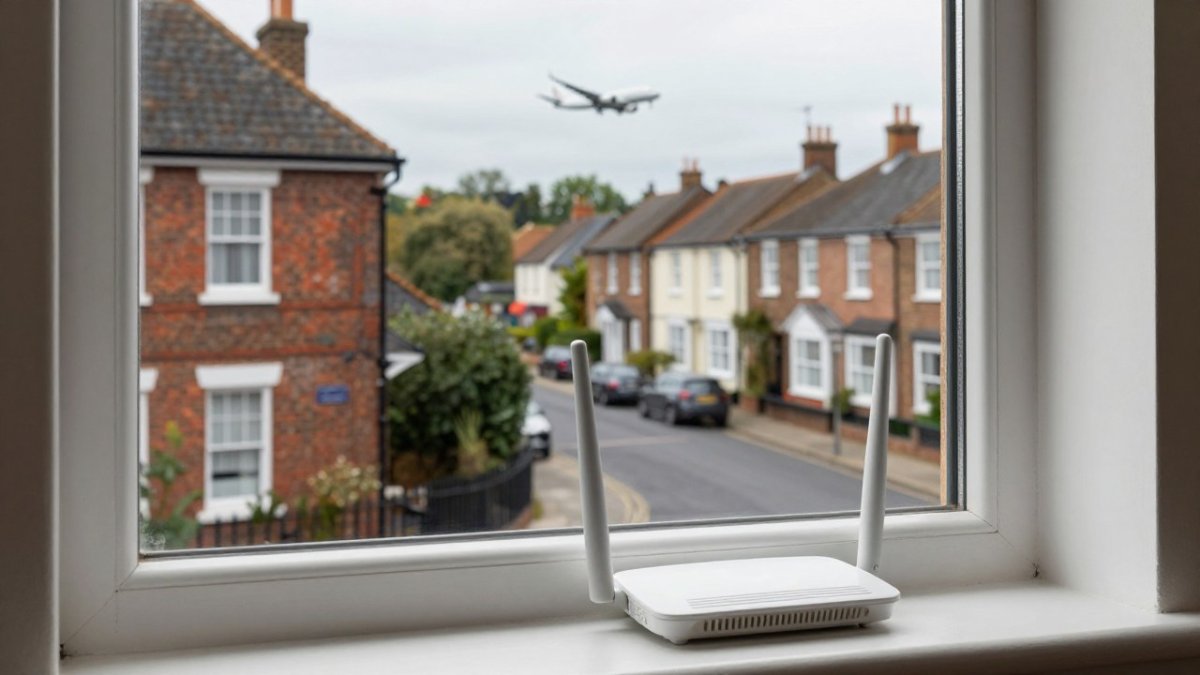
A plane passing overhead is not, by itself, proof of interference. Aircraft move quickly, so any effect would tend to be brief and tied to particular moments rather than a constant drag on speed. Anecdotal reports of dropouts when a plane passes are common, but they rarely survive a controlled test, because the same dropouts often occur when no aircraft is nearby. The honest position is that a link is plausible in principle but unusual in practice, and it should be tested rather than assumed.
Wi-Fi problems at home usually come from closer sources:
- Your router's position and the walls, floors and foil-backed insulation between it and your devices
- Neighbouring networks crowding the same channel, especially on 2.4 GHz
- Microwaves, baby monitors, cordless phones and other household devices
- Old, overloaded or poorly placed routers
- Building materials such as brick, stone and metal that attenuate the signal
If you suspect outside interference, test with a wired connection first. A direct Ethernet test shows whether the problem is the line or the wireless signal, and it is the single most useful check you can make.
Separating Wi-Fi Problems from Broadband Problems
Wi-Fi and broadband are different things. Broadband is the service your provider delivers to your home over a physical line or fibre. Wi-Fi is the wireless network your router creates inside it. Availability depends on local network infrastructure; interference, if any, affects wireless performance, not whether a service can be supplied.
To tell them apart:
- Plug a computer straight into the router with a cable and run a speed test.
- If the wired speed is good, the problem is likely your Wi-Fi.
- If the wired speed is poor too, contact your provider, as the line itself may be the issue.
- Repeat the test at different times of day to see whether the problem is constant or tied to peak hours.
Watch out: a single speed test proves little on its own, because results vary by time, server and device, so record several tests with dates and times before drawing a conclusion.
Broadband Speed and Reliability: Other Causes to Rule Out
Before blaming the location, check these common causes:
- Peak-time congestion: Speeds may drop in the evening when many people are online.
- Faulty phone line or socket: Old or damaged wiring causes drops and slow speeds.
- Router settings: Outdated firmware or a poor channel choice can slow things down.
- Too many devices: Streaming and downloads on many devices share the same connection.
- Provider outages: Local faults are common and usually fixed quickly.
Work through these before assuming any link to the airport.
A Step-by-Step Process for Suspected Airport Interference
If you still suspect interference, work through this order and keep a written record as you go. The record is what turns a hunch into something a provider can act on.
- Log the problem. Note the date, time, duration and what you were doing when the connection dropped. If you can, note whether an aircraft was overhead at that moment, but do not treat that as proof.
- Test with a cable. Use a wired connection and run several speed tests. If wired speeds are steady while wireless drops, the issue is in the Wi-Fi, not the line.
- Restart the router and check firmware. Install any available updates, then retest.
- Change the Wi-Fi channel and band. Use your router's settings to move off a crowded 2.4 GHz channel, or switch devices to 5 GHz where they support it. Retest after each change.
- Move the router. Reposition it away from walls, metal and other electronics, and retest.
- Ask your provider to run a line test. This checks the physical connection and any local faults.
- Escalate if needed. If your provider does not resolve a genuine fault, you can raise a complaint through its formal complaints process and, if unresolved, refer it to the relevant communications ombudsman. Ofcom publishes guidance on complaining about broadband and on your rights, but it does not investigate individual faults itself.
Keep a record of each step, including dates, test results and any reference numbers from your provider. It helps your provider and shows whether the problem clears after a change.
Watch out: changing router settings can reset your network name and password, so note the current settings before you alter anything, and restore them if the change makes things worse.
If you still suspect interference, work through these steps in order and keep a written record as you go.
| Step | What to do | Time or frequency |
|---|---|---|
| Log the problem | Note date, time, duration and what you were doing | As it happens |
| Test with a cable | Run several wired speed tests | Several tests |
| Restart and check firmware | Restart the router and install updates, then retest | After each change |
| Change Wi-Fi channel and band | Move off a crowded 2.4 GHz channel or use 5 GHz | Retest after each change |
| Move the router | Reposition away from walls, metal and electronics | Retest after moving |
| Ask for a line test | Ask your provider to check the physical connection | On request |
| Escalate if needed | Use the provider's complaints process, then the ombudsman | If unresolved |
Checking Your Area Before You Make an Offer
If you are considering buying near an airport, check broadband alongside other factors. Jackson's reports bring together official data on flood risk, crime, noise, planning and sold prices, with every figure carrying its source and date. An area report is not a survey and does not replace a survey. It does not tell you what a property is worth.
Before making an offer, you can [use a Jackson area check to see the official data for a postcode | page:2]. For a defensible starting point on price, see our guide on [how much to offer, using sold prices (England & Wales) | article:4]. For a closer look at hidden property risks before you commit, read [identifying hidden property risks before offer | article:3].
Frequently Asked Questions
Does living near an airport affect broadband availability?
Generally, no. Broadband availability in England and Wales depends mainly on the physical network: exchanges, cabinets, and whether fibre or copper reaches your street. Airports are not a factor in whether a property can receive broadband. Being close to an airport may coincide with newer or older infrastructure in an area, but proximity itself is incidental. Check the availability at the specific address using the Ofcom checker rather than assuming anything from the location.
Can aircraft interfere with home Wi-Fi?
Evidence that aircraft or airport radar cause routine home Wi-Fi interference is limited. Wi-Fi operates in unlicensed bands that are shared with many everyday devices, and most home drop-outs come from neighbouring networks, routers placed poorly, older equipment, or congested channels. If you suspect interference, test the connection with a wired device, change your router's channel, and log when problems occur. A pattern tied to specific times or weather may be worth raising with your provider.
How can I check broadband availability at a specific address?
Use the Ofcom broadband checker on the Ofcom website and enter your full postcode, then select your exact address. It shows which speeds and technologies, including full fibre where available, are offered at that address. The results reflect what providers have reported, so confirm with your chosen provider before relying on them. For a wider view of an area, Jackson area reports can help you see the local context alongside your property search.
Is full-fibre broadband available near airports?
Full-fibre availability near airports is no different from elsewhere; it depends on whether providers have built fibre to your street. Airports sit in a range of areas, from rural to urban, so coverage varies widely. Check full-fibre availability at the exact address with the Ofcom checker before assuming it is or is not available. Connection speed and reliability can also differ between providers serving the same street.

Short on time? Let us run the checks for you
Viewing this weekend and don't fancy an afternoon of maps? The free Foolproof Viewing Check pulls the headline tiles for any address you're looking at — no card, no sign-up.
Want the whole area read by hand and written up, checked and signed off by a real person before it reaches you? That's the Jackson pre-purchase area report. Software does the legwork so it's quick and affordable; a person makes the call so you can trust it. Reports start from £19.
Frequently asked questions
Does living near an airport affect broadband availability?
Generally, no. Broadband availability in England and Wales depends mainly on the physical network: exchanges, cabinets, and whether fibre or copper reaches your street. Airports are not a factor in whether a property can receive broadband. Being close to an airport may coincide with newer or older infrastructure in an area, but proximity itself is incidental. Check the availability at the specific address using the Ofcom checker rather than assuming anything from the location.
Can aircraft interfere with home Wi-Fi?
Evidence that aircraft or airport radar cause routine home Wi-Fi interference is limited. Wi-Fi operates in unlicensed bands that are shared with many everyday devices, and most home drop-outs come from neighbouring networks, routers placed poorly, older equipment, or congested channels. If you suspect interference, test the connection with a wired device, change your router's channel, and log when problems occur. A pattern tied to specific times or weather may be worth raising with your provider.
How can I check broadband availability at a specific address?
Use the Ofcom broadband checker on the Ofcom website and enter your full postcode, then select your exact address. It shows which speeds and technologies, including full fibre where available, are offered at that address. The results reflect what providers have reported, so confirm with your chosen provider before relying on them. For a wider view of an area, Jackson area reports can help you see the local context alongside your property search.
Is full-fibre broadband available near airports?
Full-fibre availability near airports is no different from elsewhere; it depends on whether providers have built fibre to your street. Airports sit in a range of areas, from rural to urban, so coverage varies widely. Check full-fibre availability at the exact address with the Ofcom checker before assuming it is or is not available. Connection speed and reliability can also differ between providers serving the same street.