Check Mobile Signal Before You Buy: Free Checkers, What to Test on a Viewing, and What a £9 Postcode Report Adds (England & Wales)
Shortlist networks with Ofcom and Which?, test signal inside the property with multiple SIMs, then order a human checked postcode report from £9 for...
Check mobile signal three ways before you offer: Ofcom's mobile coverage checker for the postcode, each network's own checker, and your own phone on the viewing, indoors, in every room you'd actually use. No checker can guarantee a signal inside a specific house; only your handset can.
In this guide
- Table of Contents
- How do I check mobile coverage online by postcode?
- How do I test mobile signal at the property in person?
- Why postcode maps can differ from what you experience at home
- What to do if the signal turns out to be poor
- How NoFooly covers connectivity in a postcode report
- What actually matters when you’re checking mobile signal on a viewing
- Why a Nofooly postcode report is worth ordering after your checks
- Sources
- FAQ
Yes, you can check mobile signal before buying, and you should. Start with Ofcom’s postcode checker and the Which? quality map to shortlist which networks look strong, then confirm with an in-person test using phones on more than one network. Online tools model coverage; they cannot tell you what happens inside that particular kitchen with those particular walls.
TL;DR:
- Online tools like Ofcom’s postcode checker and Which?'s quality map provide useful estimates but do not reflect real-time conditions or specific building obstructions.
- In-person testing with multiple SIMs across different rooms and times offers the most accurate assessment of actual mobile signal strength and usability inside a property.
- Factors such as building materials, topography, network congestion, weather, and handset age can cause significant variation between predicted coverage and in-home experience.
- If signal quality is poor, options like Wi-Fi calling, signal boosters, or checking for nearby mast upgrades can help mitigate issues before ruling out a property.
- Supplementing online and physical tests with detailed local reports can provide a broader overview of risks like flood and crime, aiding informed decision-making.
Table of Contents
- How do I check mobile coverage online by postcode?
- How do I test mobile signal at the property in person?
- Why postcode maps can differ from what you experience at home
- What to do if the signal turns out to be poor
- How NoFooly covers connectivity in a postcode report
- What actually matters when you’re checking mobile signal on a viewing
- Why a Nofooly postcode report is worth ordering after your checks
- Sources
- FAQ
How do I check mobile coverage online by postcode?
The Ofcom mobile checker is the obvious starting point. Type in the postcode and it returns two separate readings for each network: a coverage dial and a performance dial, both split by indoor and outdoor results for 4G and 5G. Coverage tells you a signal probably reaches the area. Performance tells you whether that signal is strong enough to actually do something useful with, and that gap matters more than most buyers realise.
Which? makes a sharper point: nearly every major network claims very high geographic coverage, so a bare coverage tick tells you almost nothing. Its own quality map instead estimates how likely a network is to handle video calls or streaming reliably at a given location, which is the question a homebuyer actually cares about.
Once you have a shortlist, cross-check operator by operator. EE, for instance, runs its own coverage checker with network-specific detail that the aggregated tools sometimes smooth over. Vodafone, O2 and Three all offer equivalents.
Work through it in this order:
- Run the postcode through Ofcom and note both dials for each network, indoor and outdoor.
- Open the Which? quality map for the same postcode and compare which networks come out strongest for data-heavy use.
- Check the relevant operator’s own coverage page for anything the aggregated view might miss.
- Remember these are model predictions built from averaged data, not a report of what is happening at that address right now.
None of these tools catch a mast that has been down for three days, or a signal blackspot caused by a single stand of trees at the end of the road. For that, you need to go and stand in the house.
How do I test mobile signal at the property in person?
Online checkers narrow the field. Only a physical visit confirms what you will actually get. Ofcom itself points to in-person testing with multiple SIMs, in multiple rooms, at different times of day, as the most reliable way to judge real in-home performance.
Here’s a checklist worth running at every viewing:
- Bring (or borrow) phones on two or three different networks, ideally covering the shortlist you built online.
- Check the signal indicator outside first, then walk every room, including the loft and any basement or extension.
- Install something like Signal Test beforehand. It logs RSRP, RSRQ, SINR and RSSI, the actual radio metrics behind that signal bar, and it can save each reading so you can compare one house against another later.
- Make a call, run a short video call, and stream a video clip in the room where you would actually work or relax.
- If you can, repeat the test on a weekday evening, when networks are under more load than a quiet Tuesday morning viewing.
- Photograph or screenshot the readings and jot down which room, which network, which time.
Pro Tip: Ask the estate agent, in writing, if you can do a five-minute video call from inside the property on speaker. It tests signal, echo and background noise all at once, and agents rarely refuse a request that quick.
If a second viewing isn’t possible, ask the seller or agent to run the same checklist and send you screenshots, or to jump on a video call from the room in question. It’s not as good as being there, but it beats guessing.

Recording your own numbers matters for another reason: it gives you something concrete to compare when you’re weighing up two or three shortlisted properties, rather than relying on memory of “the signal felt fine”.
Why postcode maps can differ from what you experience at home
A postcode-level result is an average across a small district, and any single house can sit in a different pocket entirely because of micro-topography and obstructing buildings nearby. A handful of factors explain most of the gap between the map and the room you’re standing in:
- Topography and distance: hills, valleys and tree cover between the property and the nearest mast all weaken the signal that reaches you.
- Building materials: thick stone walls, foil-backed insulation, and modern low-emissivity glass are notably good at blocking radio signals.
- Network congestion: performance drops at peak times when more people nearby are competing for the same mast capacity.
- Weather and maintenance: heavy rain and temporary engineering work can both dent signal quality for hours or days.
- Your handset: older phones and cheaper antennas simply pull in a weaker signal than a recent flagship, even in the same spot.
Coverage maps show what a typical device should receive across an averaged area. They are not a measurement of the specific house you’re viewing on the specific day you visit.
That’s precisely why Ofcom and Which? both frame these tools as guides rather than guarantees: they’re built from propagation models, not live readings from inside every property in the postcode.
What to do if the signal turns out to be poor
Poor signal doesn’t automatically rule a property out, but it should change how you think about the offer. A few fixes are worth trying before you write the house off:
- Wi-Fi calling handles voice and messages over a decent broadband connection when mobile signal is weak, and most modern phones support it out of the box.
- A 4G or 5G router can act as a genuine broadband substitute in rural spots where fixed-line options are limited.
- Consumer signal boosters exist, but check operator and regulator guidance carefully first. Not every booster is legal to run on every network.
- Ask the seller or current occupier directly which network they use and whether it works well. Lived experience often reveals what a map cannot.
- Ask if there are any known mast upgrades planned nearby. Sometimes a blackspot has an end date.
Pro Tip: If poor signal is a genuine dealbreaker, get it in writing that you tested it, with dates and readings. It gives you a factual basis to renegotiate, rather than a vague impression to argue from.
Signal is one risk factor among several. Weigh it against broadband quality and the other local data that shapes day-to-day life at that address before deciding how much it should move the price.
How NoFooly covers connectivity in a postcode report
A report can be compiled from official data for a postcode in England and Wales into a plain-English document, reviewed by an analyst. Connectivity sits alongside broadband detail, flood risk and recorded floods, crime, planning applications next door, noise and nuisance sites, all pulled into one document rather than five separate tabs.
That context is useful precisely because a signal test only tells you about mobile reception. It says nothing about the neighbour’s planning application or the flood history two doors down. A Nofooly report is not a survey and does not inspect the building itself. It’s designed to sit next to your own in-person signal checks, not replace them.
What actually matters when you’re checking mobile signal on a viewing
Most advice on this topic treats coverage checkers as the finish line. They’re the starting point. The real signal, the one that tells you whether you can work from the back bedroom or hold a call in the kitchen, only shows up when you stand in the property with a phone in your hand.
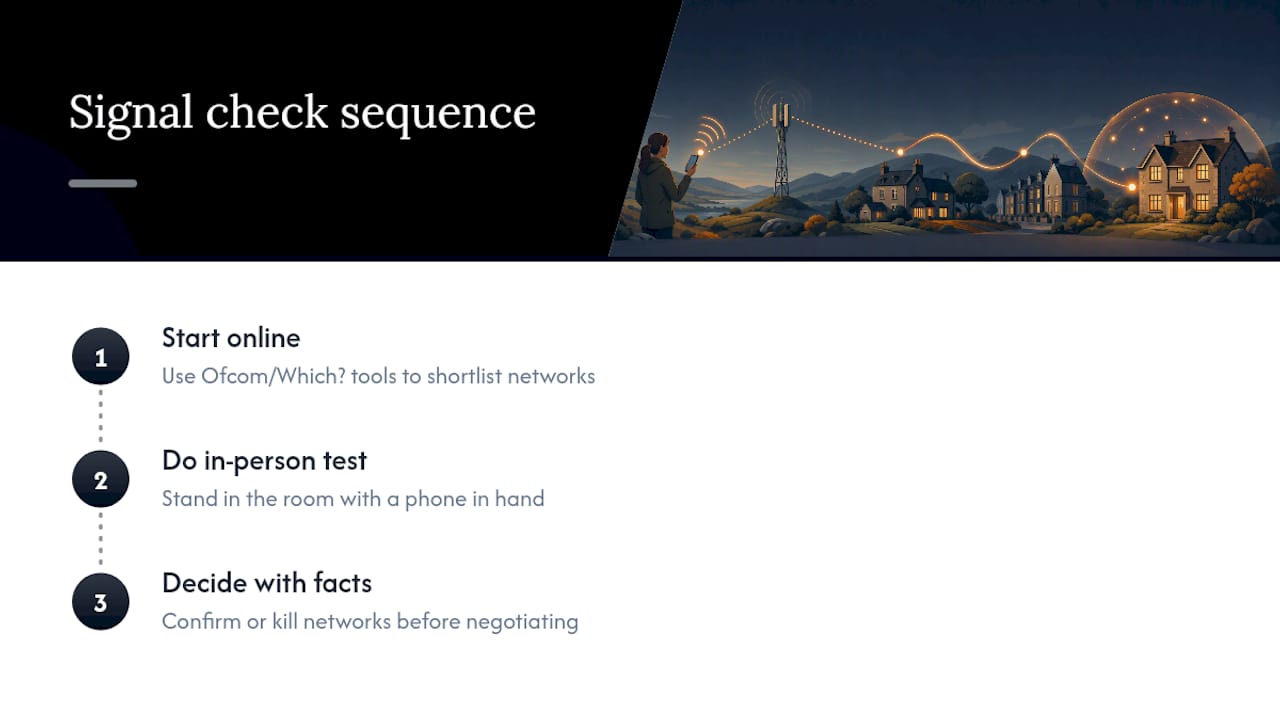
The conventional wisdom oversells the accuracy of online maps and undersells how quickly a single wall or a single mast direction can change the outcome. A postcode averaged across a wide area tells you almost nothing about the specific room where your desk will sit. That’s not a flaw in the checkers. It’s simply not what they’re built to measure.
If you take one thing from this: don’t skip the in-person test to save twenty minutes at a viewing. The Ofcom and Which? tools earn their place by narrowing your shortlist to two or three likely networks. The physical test earns its place by confirming or killing that shortlist entirely. Do both, in that order, and you’ll walk into any negotiation with facts instead of a hunch.
— Gracie C
Why a Nofooly postcode report is worth ordering after your checks
Once you’ve run the online checkers and stood in the house yourself, a Nofooly postcode report fills in everything a signal test can’t: sold prices, flood history, crime, planning, schools, broadband and commute, all read against official data rather than guesswork.
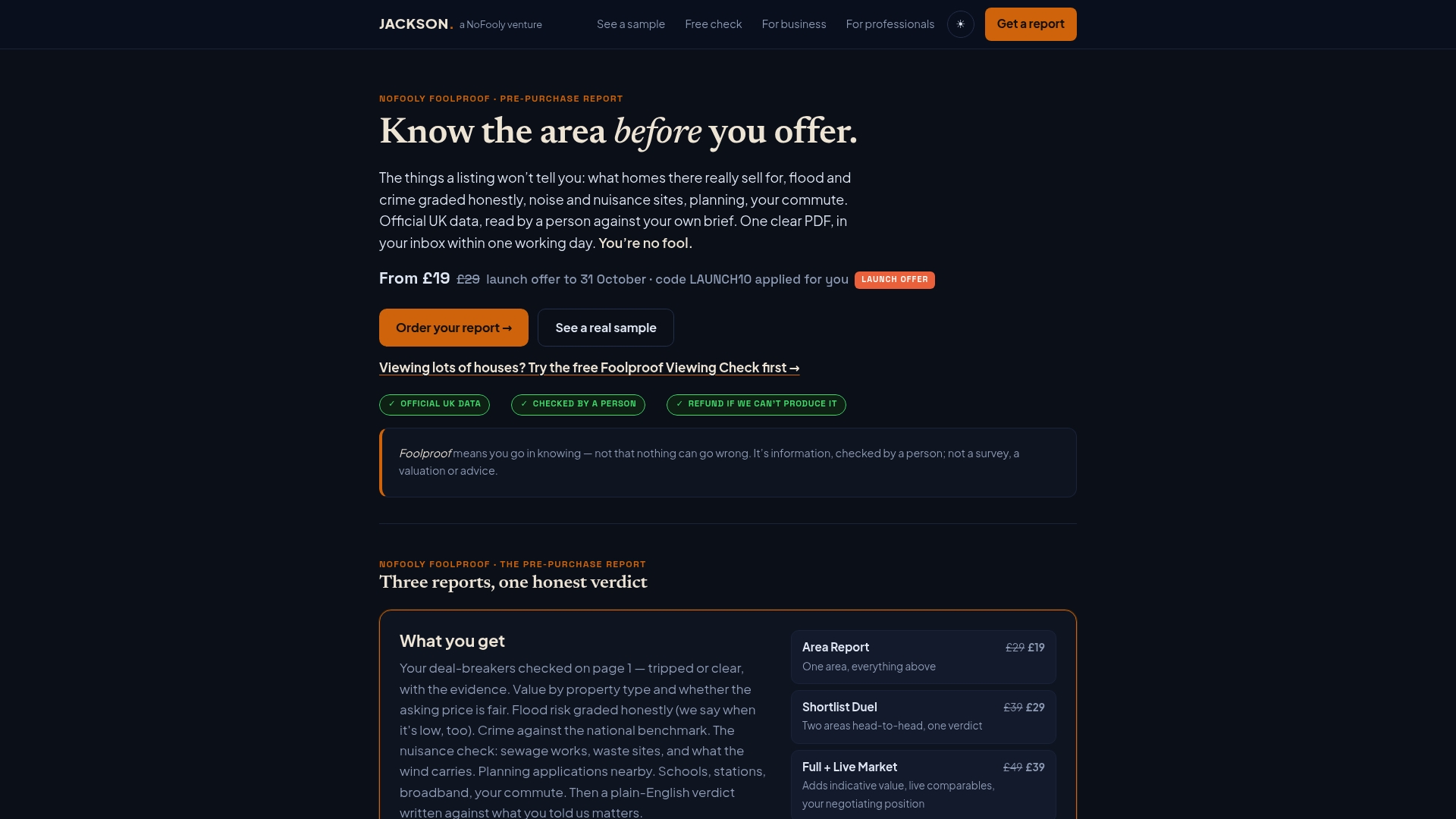
Depending on how much detail you need, the Instant Report at £9 gives a fast plain-English snapshot for a single postcode. The £29 Area Report goes further: a named person reads it against your own written brief and deal-breakers and signs the verdict, adding sale history, tenure and an indicative read on whether the asking price looks fair. Comparing two shortlisted areas head to head calls for the £39 Shortlist Duel, and if you want live comparables and a fuller market picture, the £49 Full + Live Market adds that layer too.
None of these replace a survey, a conveyancer, or professional advice, and they cover England and Wales only. What they do is put the local risk picture in one document instead of ten browser tabs. Order a report at Jackson and get it as a PDF within minutes to one working day, depending on the tier.
Sources
FAQ
What signal strength counts as good enough for streaming and video calls?
There is no single official threshold, but Which?'s quality ratings are built specifically around whether a network can handle data-heavy tasks like video calls and streaming, not just whether a signal bar shows up. If the quality map rates a network as poor for that area, expect dropped calls and buffering, even where basic coverage is marked as present.
Can an online checker guarantee my signal at a specific house?
No. Ofcom’s own checker is built from propagation models and averaged data, and it flags that indoor results vary from outdoor ones depending on the building and its surroundings. Treat it as a shortlist tool, then verify with an in-person test.
Why does my virtual network provider show different results to its parent network?
It usually shouldn’t, because virtual network providers typically run on the same physical masts as their parent network. If you see a real difference at a specific address, it’s more likely down to handset, plan restrictions, or local congestion than the underlying infrastructure.
Does Nofooly test mobile signal directly?
No. A Nofooly postcode report compiles official broadband and connectivity data alongside flood risk, crime, planning and other local factors, checked by Jackson, but it does not run a live mobile signal test at the property. Pair it with your own in-person check for the fullest picture, and note it covers England and Wales only.
Where do I check for a current mobile outage rather than general coverage?
Ofcom’s checker won’t show live outages or maintenance work, so check the operator’s own status page for real-time issues on EE, O2, Vodafone or Three. That’s a separate check from the coverage and quality maps, and worth doing if a signal test at a viewing seems oddly worse than expected.
Short on time? Let us run the checks for you
Viewing this weekend and don't fancy an afternoon of maps? The free Foolproof Viewing Check pulls the headline tiles for any address you're looking at — no card, no sign-up.
Want the whole area read by hand and written up, checked and signed off by a real person before it reaches you? That's the Jackson pre-purchase area report. Software does the legwork so it's quick and affordable; a person makes the call so you can trust it. Reports start from £29.