Find Nearby Planning Applications: How to Search in England & Wales, for Buyers and Neighbours
UK planning applications search made practical: where to find the council file, which drawings and dates matter, how to comment, and a buyer and neighbour...
Every council in England & Wales publishes its planning applications online. Search the local authority's planning register by postcode or map, filter by status and date, and read the decision notices and conditions, not just the headline. Check the neighbouring authority too if the postcode sits near a boundary.
In this guide
- Table of Contents
- Where to start a planning applications search
- How do I search for a planning application?
- What’s actually in a planning application file?
- How do I comment on a planning application?
- How can I track a planning application without checking daily?
- Common pitfalls in a planning applications search
- A buyer’s or neighbour’s checklist for planning searches
- NoFooly’s Area Report: a person-checked briefing for England and Wales
- Sources
- FAQ
- Recommended

Start at GOV.UK’s “Search the register of planning decisions” to find your local planning authority, then open that authority’s own planning register. If you intend to comment, read the application documents first and note the consultation deadline. If you just want updates, save the search or register for tracking so you’re not checking manually every week.
TL;DR:
- Most planning registers are live files on council websites, not just searchable summaries on GOV.UK, so checking the current document versions is crucial due to frequent amendments.
- Address searches often fail if only current addresses are used; try past or alternative address versions, including street names alone, especially when properties have changed names or numbers.
- Key application documents include drawings, officer reports, and decision notices, with the validation, consultation, and decision dates being most important for timing and response planning.
- Submitting a clear, factual comment referencing specific documents before the consultation deadline has the most influence, especially if it ties concerns directly to planning matters and documents.
- Use council accounts to track applications automatically, and verify document updates and status changes before engaging or submitting further correspondence.
Table of Contents
- Where to start a planning applications search
- How do I search for a planning application?
- What’s actually in a planning application file?
- How do I comment on a planning application?
- How can I track a planning application without checking daily?
- Common pitfalls in a planning applications search
- A buyer’s or neighbour’s checklist for planning searches
- NoFooly’s Area Report: a person-checked briefing for England and Wales
- Sources
- FAQ
Where to start a planning applications search
Gov is the fastest way to work out which council actually holds the record you want. Enter a postcode and it points you to the relevant local planning authority for England and Wales. That’s all it does, and that’s the point: it’s a signpost, not the file itself.
The real evidence sits on the council’s own planning register, often branded “Public Access” or something similar depending on the software the authority uses. That register is the authoritative live file. It’s where you’ll find the drawings, the officer’s report, the consultation dates and the decision notice, and it commonly lets you search by application reference, address, postcode, map or keyword.
Three entry points matter, depending on where you are:
- England and Wales: GOV.UK to find the council, then the council’s own register for the file.
- Northern Ireland: a separate portal system, with coverage that varies by area — some councils hold full digital records back to 2010, others less.
- Planning Portal: useful for guidance and, in some areas, for submitting an application, but check whether your council actually routes searches through it before relying on it as your primary source.
How do I search for a planning application?
Search order matters more than most people assume, especially on an address that’s changed hands or been renumbered over the years. Work through these in sequence rather than jumping straight to a keyword search:
- Postcode — the fastest first pass, and usually enough for a recent, straightforward case.
- Full address, written exactly as it might have appeared historically (including the older house name if the property has had one).
- Application reference number, if you already have it from a neighbour, a for-sale listing, or a site notice.
- Street name or keyword, useful when you’re scanning for anything nearby rather than one specific plot.
- Map view or UPRN (Unique Property Reference Number), which some registers support and which sidesteps address confusion entirely.
Most registers also let you filter by status, date range and application type, which is worth doing before you scroll through pages of results. Note the case number as you go. You’ll want it again.
Here’s the part that catches people out: councils record the address as it stood at the time of submission, not as it stands today. Renamed roads, renumbered flats and abbreviated street names can hide a file completely if you only search the current version of an address.
Pro Tip: If a search comes back empty for a property you’re sure has planning history, try the number either side, drop the flat suffix, and search the street name alone with a wide date range. Older files are far more likely to be catalogued under an address that no longer matches what’s on the door.
What’s actually in a planning application file?
A typical record is document-heavy, and the documents that matter most aren’t always obvious from the case title. Expect to find:
- The application form itself, stating what’s proposed and by whom.
- Site and location plans, showing the boundary and context.
- Existing and proposed drawings — elevations, floor plans, sometimes 3D visuals.
- Design and access statements, and a planning statement setting out the applicant’s case.
- Specialist reports where relevant: transport, drainage, ecology, heritage.
- The officer’s report and, eventually, the decision notice.
Four dates carry the real weight: the validation date (when the application was formally accepted), the consultation deadline (your window to comment), the target decision date, and the decision issued date, which also starts the clock on any appeal period. Open the full record, not just the summary — the useful evidence is almost always in the drawings and the officer’s report, rarely in the one line description at the top of the case.
As you read, write down the exact application reference, the document title and its date. Applications get amended, sometimes more than once, and a representation that cites the wrong version of a drawing weakens itself before a planner even reads it.

How do I comment on a planning application?
Anyone can generally submit a representation on a live application, though the exact method varies by council — online account, email, or occasionally post. Check the specific register page for the application to see which route it accepts and when the consultation closes.
A representation that actually gets weighed by a case officer tends to share a few traits:
- It states the application reference and address clearly, right at the top.
- It ties every point to a genuine planning matter: design, amenity, highways impact, flood risk, heritage, or ecology.
- It references a specific drawing or document by name, rather than describing the scheme in vague terms.
- It stays factual and avoids personal disputes or claims about property value, which planners generally can’t take into account.
Timing matters as much as content. Submit before the consultation deadline where possible; a representation lodged at council stage carries more weight than a late general objection, partly because appeal evidence rules can restrict what new material gets introduced once a case moves to appeal. Get your point on record early, in writing, against the actual documents.
Pro Tip: Two sentences that name the drawing number and the specific harm usually land better with a case officer than two paragraphs of general concern.
How can I track a planning application without checking daily?
Most council registers let you create an account, save a search, or “track” a specific case so you get an email whenever its status changes. That’s the simplest fix for the manual checking treadmill, and it’s free.
- Register for a Public Access (or equivalent) account and follow the specific case you care about.
- Sign up for the council’s weekly or monthly validation and decision lists, or a map based alert, where the authority offers one.
- For bulk or professional monitoring, Planning Data offers national datasets and an API, but its own guidance is blunt about coverage gaps: treat it as a discovery layer, then verify anything material on the council’s own register before you rely on it.
Common pitfalls in a planning applications search
A few habits separate a thorough search from one that misses something important.
Document uploads lag behind submission. A newly lodged application might sit on the register for a few working days before its drawings appear, and some councils only refresh overnight. If a file looks thin, check back rather than assuming it’s incomplete.
Amendments change the scheme you’re assessing. Note the exact date and version of every document you read, because a later revision can materially alter what’s actually being decided. A significant portion of applications on some registers carry at least one amendment before decision, which is reason enough to recheck a file shortly before a deadline rather than trusting a read from weeks earlier.
- Treat national aggregators as a starting point for discovery, never as proof of current status.
- Always confirm live consultation dates and document versions on the local council register.
- If a search comes up empty, try again later or contact the council directly — some older or non-digitised files only surface that way.
A buyer’s or neighbour’s checklist for planning searches
Here’s the sequence that actually works: confirm which council register holds the file, read it in full with the drawings and officer’s report as your priority, then submit a short, planning-grounded comment and set up tracking so you’re not left guessing.
None of this replaces a conveyancer or surveyor before you exchange on a property. A planning search tells you what’s proposed next door; it doesn’t tell you about subsidence, title issues or the state of the roof. For a plain-English, person-checked briefing that pulls the local picture together for England and Wales, NoFooly exists precisely for that gap.
— Gracie C
NoFooly’s Area Report: a person-checked briefing for England and Wales
Doing your own planning applications search is worthwhile, but it’s one input among many when you’re deciding whether an area actually suits you. A £29 Area Report takes the postcode you’re looking at and builds a briefing that includes planning activity nearby, sold-price context for the street and property type, flood and crime indicators, and a verdict written by an analyst against your own stated deal-breakers.
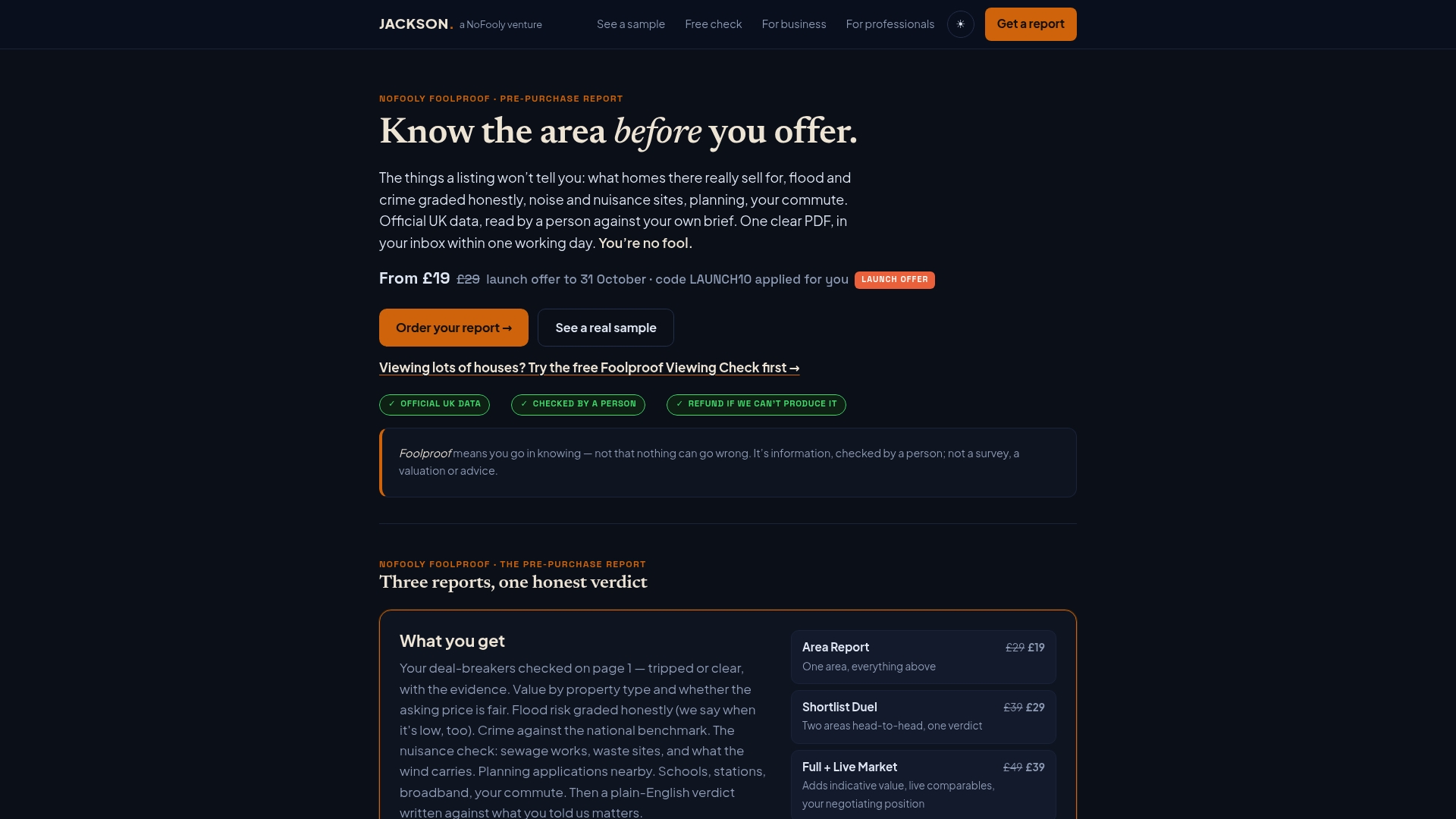
It isn’t a survey and it doesn’t check drains, damp or wiring, and it isn’t legal, mortgage or investment advice. What it does is turn scattered public data, the same kind of registers and datasets covered above, into one plain-English read that flags whether an area is worth pursuing further. If you’re weighing up a shortlist, the Shortlist Duel compares two areas head to head, and the Instant Report gives a lighter automated first pass from a postcode alone. Property professionals running due diligence at scale might also find a documentation audit checklist useful alongside it. Start with your postcode on the NoFooly site and see what the report turns up.
Sources
Start with GOV.UK’s register search, then the Planning Data service for bulk lookups, and your council’s own planning register for the definitive file. Stuck? Call the case officer directly.
- Gov
- View and comment on planning applications - Milton Keynes Council
- Search planning applications - London Borough of Bromley
- Local authority dataset - Planning Data
- Finding a planning application - nidirect
FAQ
How can I see planning applications near me?
Enter your postcode into GOV.UK’s register search to identify your local planning authority, then open that council’s own planning register. Search by postcode, address or map view to see everything live nearby.
How many planning applications are there in the UK?
Volumes vary significantly by council and by year, and there’s no single reliable national total worth quoting, since national datasets like Planning Data acknowledge incomplete coverage. Your local council’s register is the only source that will give you an accurate count for your own area.
What is the 7 year planning permission rule?
This isn’t a standard rule in UK planning law; definitions of “the 7 year rule” circulating online tend to confuse different limitation periods for enforcement action, which vary by breach type and whether the development was residential. Check the specific rule with your council’s planning department rather than relying on a generic online summary.
How do I find the planning use of a property?
Search the address or postcode on the council’s planning register to see historic applications, including any change of use decisions, and check the officer’s report for the approved use class. Older properties may need a search under a previous address format, since councils record the address as it stood at submission.
Can I comment on a planning application after the deadline has passed?
Some councils will accept late comments up to the decision date, but a submission made before the published consultation deadline carries more weight and is guaranteed to reach the case officer in time.
Recommended
Short on time? Let us run the checks for you
Viewing this weekend and don't fancy an afternoon of maps? The free Foolproof Viewing Check pulls the headline tiles for any address you're looking at — no card, no sign-up.
Want the whole area read by hand and written up, checked and signed off by a real person before it reaches you? That's the Jackson pre-purchase area report. Software does the legwork so it's quick and affordable; a person makes the call so you can trust it. Reports start from £29.