How to Verify Local Amenities: A Step-by-Step Guide
How to verify local amenities before you buy or rent in England and Wales: shops, transport, schools and planning, checked against official sources.
Go to the official sources rather than the listing: the council website for services by ward, Ordnance Survey maps for distance and layout, the operator's own timetable for buses and trains, the Environment Agency flood map, Police.uk for recorded crime and the council planning portal for nearby applications. Cross-check anything that matters against two sources, walk the routes yourself at the time you would use them, and note the date you checked.
In this post
- Table of Contents
- Why You Need to Verify Local Amenities, Not Trust the Listing
- How to Check Amenities Near a Property Using Official Sources
- Your Local Area Checklist for Property Due Diligence
- How to Check Public Transport Near a Property
- Running a Local Planning Applications Search Before You Offer
- Common Mistakes When Verifying Amenities
- Conclusion
- Frequently Asked Questions
Table of Contents
- Why You Need to Verify Local Amenities, Not Trust the Listing
- How to Check Amenities Near a Property Using Official Sources
- Your Local Area Checklist for Property Due Diligence
- How to Check Public Transport Near a Property
- Running a Local Planning Applications Search Before You Offer
- Common Mistakes When Verifying Amenities
- Conclusion
- Frequently Asked Questions
Last Updated: October 18, 2026
Why You Need to Verify Local Amenities, Not Trust the Listing
Estate agent particulars are a sales document, not a fact-check. The phrase "close to local amenities" can mean a two-minute walk to a corner shop or a twenty-minute drive to the nearest one. Learning how to verify local amenities yourself, before you offer, is the difference between buying a home that fits your life and buying a set of problems the listing never mentioned.
At JACKSON, we build area reports for any postcode in England and Wales, and the same principle drives all of it: check the source, not the summary. This guide walks you through the official tools, a practical checklist and the mistakes that catch buyers out.
Below, we show you exactly how to check amenities near a property, step by step, using data you can see for yourself.
How to Check Amenities Near a Property Using Official Sources
Start with the official sources, not the portals. Council websites, Ordnance Survey maps and the local planning portal each tell you something different, and together they give you a far clearer picture than any listing summary.
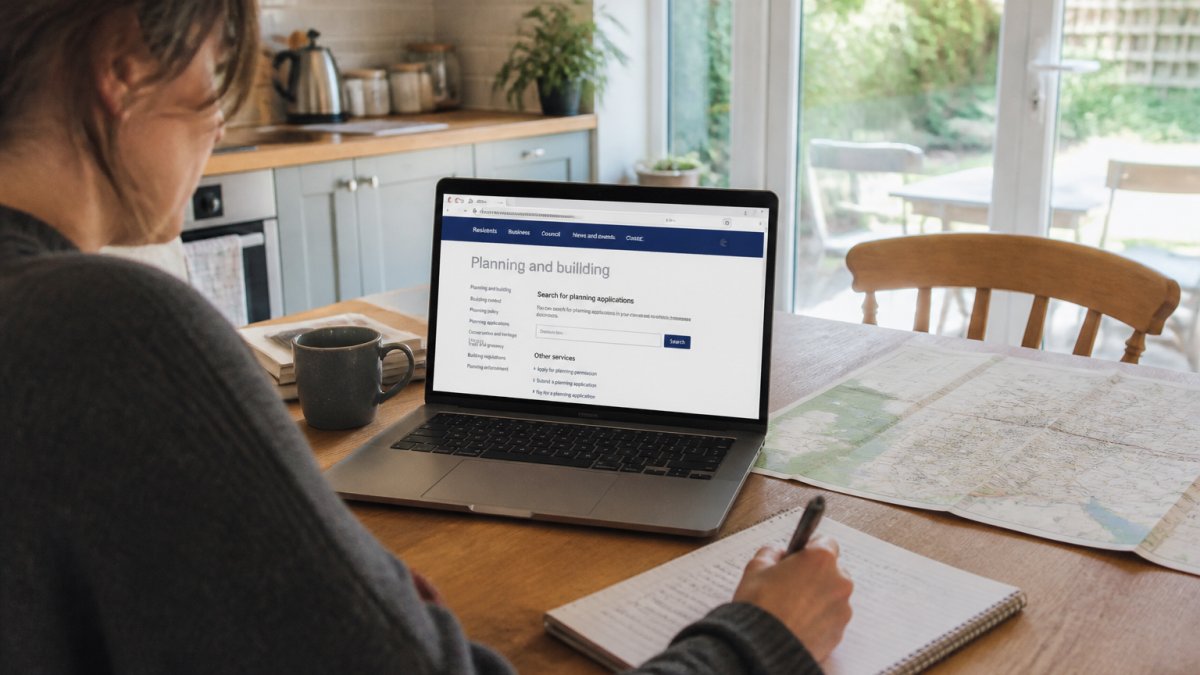
Maps, Council Data and What Each One Actually Tells You
Each source has a job. Use them together rather than relying on one:
- Ordnance Survey maps: show footpaths, green space, schools and building footprints. Good for distance and layout.
- Council website: lists libraries, leisure centres, waste sites, allotments and public services by ward.
- Local planning portal: shows what has been applied for, approved or refused nearby.
- Environment Agency flood maps: show flood risk from rivers and sea for the postcode.
- Police.uk: shows recorded crime for the area against the national average.
A common mistake is trusting a pin on a map without checking what is actually at that address. A "school" pin might be an administrative office. Open the council page and confirm.
If you want a single starting point, the free Viewing Check at JACKSON gives an automated read of the area for any postcode in England and Wales, and the £9 Instant Report adds flood, crime, noise and planning with every figure carrying its source and date.
Your Local Area Checklist for Property Due Diligence
Work through this checklist before you offer. It takes an afternoon and can save months of regret.
- Nearest GP surgery and dentist, and whether they are taking new patients
- Nearest primary and secondary school, and the council's admissions criteria
- Nearest supermarket and pharmacy, by walking distance not driving
- Bus stops, train stations and typical journey times to work
- Flood risk from rivers, sea and surface water for the exact postcode
- Recorded crime for the ward against the national average
- Noise sources: motorways, railways, airports, industrial sites
- Planning applications nearby, including large or repeated ones
- Radon potential for the area
- Broadband speed available at the address
Two items on that list deserve special attention: public transport and planning. We cover both below.
How to Check Public Transport Near a Property
A pin on a map is not a service. Check the timetable, the frequency and the last bus home, because a route that runs twice a day is not the same as one that runs every ten minutes.
Use the operator's own timetable and the council's public transport pages. Then check the specifics that matter to your daily life:
- Frequency: how often does the service run at 7am and at 10pm?
- Journey time: time the full trip to your workplace, including the walk to the stop.
- Interchange: does the route need a change, and how long is the wait?
- Reliability: is the line or route subject to known disruption or planned works?
- Accessibility: step-free access at the station, and shelter at the stop.
For rail, check the station's own page for step-free access and parking. For buses, the operator's timetable beats any third-party summary. If a listing says "excellent transport links", this is where you confirm or discard that claim.
Running a Local Planning Applications Search Before You Offer
A local planning applications search tells you what is proposed near the property, and it is one of the most overlooked checks buyers make. Run it before you offer, not after.
Open the council's planning portal and search by postcode, then widen the radius. Look for:
- Large applications: housing estates, warehouses, waste sites, telecoms masts
- Change of use: a quiet shop becoming a takeaway or a pub
- Repeated applications: the same site applying again and again often signals a determined developer
- Approved but not built: permission granted is not the same as built, and it may still happen
- Refused applications: a refusal can be appealed, so read the reason
Planning status for a specific property is a job for your conveyancer, not for a portal search. What the portal gives you is context: the direction of travel for the area around the home.
Planning Portal guidance on finding local applications explains how council portals are organised, and most councils publish their own search pages.
Common Mistakes When Verifying Amenities
The same errors come up again and again. Avoid these and you are ahead of most buyers.
- Trusting the listing's distance claims. Measure the walk yourself, at the time of day you would actually make it.
- Checking one source only. Council data, maps and the planning portal each catch different things.
- Ignoring the direction of travel. A quiet road today can be a construction site next year. Check planning, not just the present.
- Confusing a survey with an area check. JACKSON does not assess the condition of any building. No damp, subsidence, structure or pipes. An area report sits alongside a survey, never instead of it.
- Skipping the flood and radon checks because the area "looks fine". Risk is not visible from the pavement.
- Leaving it until after the offer. By then you have spent money on conveyancing and your negotiating position is weaker.
The fix for most of these is the same: use official sources, check the postcode rather than the town, and do it early.
Conclusion
Verifying local amenities is not about finding reasons to walk away. It is about knowing what you are buying before you commit, so the surprises arrive in a report rather than after completion.
JACKSON turns the checks above into one plain-English report for any postcode in England and Wales. Every figure carries its source and date, and on the person-checked reports a named analyst reads and signs the verdict. Start with the free Viewing Check, or move to the £9 Instant Report, with person-checked reports available from £19. Get started with JACKSON and check the area before you check the mortgage.
Frequently Asked Questions
How do I check what amenities are near a property?
Start with the postcode, not the listing. Use the local council's website to find nearby GP surgeries, libraries and leisure centres, and check the Environment Agency flood map for the postcode. Online maps help you see distances, but confirm opening hours and status on the amenity's own website or by phone. Cross-check anything that matters to you against at least two sources, and note the date you checked, because facilities close and change.
How can I check public transport near a property?
Use the operator's own timetable rather than a map pin. For buses, check the local council's bus stop and route information; for rail, use National Rail enquiries to confirm the station, line and typical journey times. Traveline and the operator apps give live service updates. Visit at the time of day you would actually commute, and check the walk to the stop on foot, since a straight-line distance on a map can hide a busy road or a long detour.
Are online maps accurate for checking local amenities?
They are a useful starting point but not a reliable record. Map pins can lag behind closures, show a shop under an old name, or place a school building slightly off. Use maps to judge distance and layout, then confirm the amenity exists and is open through the council, the operator or the business itself. For anything that would affect your decision, such as a GP surgery accepting new patients, a phone call settles it faster than any map.
How do I check whether a local planning application affects a property?
Go to the local planning authority's online portal and search by the property's postcode or address. You can view applications nearby, read the documents and see the decision. Check for extensions, change of use, new housing or commercial development within a short radius. Planning status for a specific property is a matter for your conveyancer, so pass anything relevant to them rather than relying on the portal alone.
Short on time? Let us run the checks for you
Viewing this weekend and don't fancy an afternoon of maps? The free Foolproof Viewing Check pulls the headline tiles for any address you're looking at — no card, no sign-up.
Want the whole area read by hand and written up, checked and signed off by a real person before it reaches you? That's the Jackson pre-purchase area report. Software does the legwork so it's quick and affordable; a person makes the call so you can trust it. Reports start from £19.
Frequently asked questions
How do I check what amenities are near a property?
Start with the postcode, not the listing. Use the local council's website to find nearby GP surgeries, libraries and leisure centres, and check the Environment Agency flood map for the postcode. Online maps help you see distances, but confirm opening hours and status on the amenity's own website or by phone. Cross-check anything that matters to you against at least two sources, and note the date you checked, because facilities close and change.
How can I check public transport near a property?
Use the operator's own timetable rather than a map pin. For buses, check the local council's bus stop and route information; for rail, use National Rail enquiries to confirm the station, line and typical journey times. Traveline and the operator apps give live service updates. Visit at the time of day you would actually commute, and check the walk to the stop on foot, since a straight-line distance on a map can hide a busy road or a long detour.
Are online maps accurate for checking local amenities?
They are a useful starting point but not a reliable record. Map pins can lag behind closures, show a shop under an old name, or place a school building slightly off. Use maps to judge distance and layout, then confirm the amenity exists and is open through the council, the operator or the business itself. For anything that would affect your decision, such as a GP surgery accepting new patients, a phone call settles it faster than any map.
How do I check whether a local planning application affects a property?
Go to the local planning authority's online portal and search by the property's postcode or address. You can view applications nearby, read the documents and see the decision. Check for extensions, change of use, new housing or commercial development within a short radius. Planning status for a specific property is a matter for your conveyancer, so pass anything relevant to them rather than relying on the portal alone.